
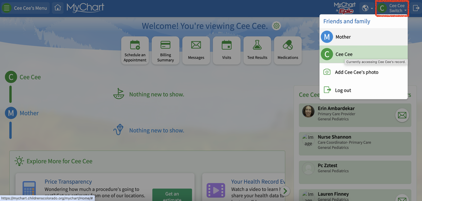
The most important first step is to ensure that you are in the patient’s MyChart page, NOT the parent/guardian’s. You can toggle between the two pages from the top right corner.
Select MENU -> PRINTABLE IMMUNIZATIONS under the “Resources” section.

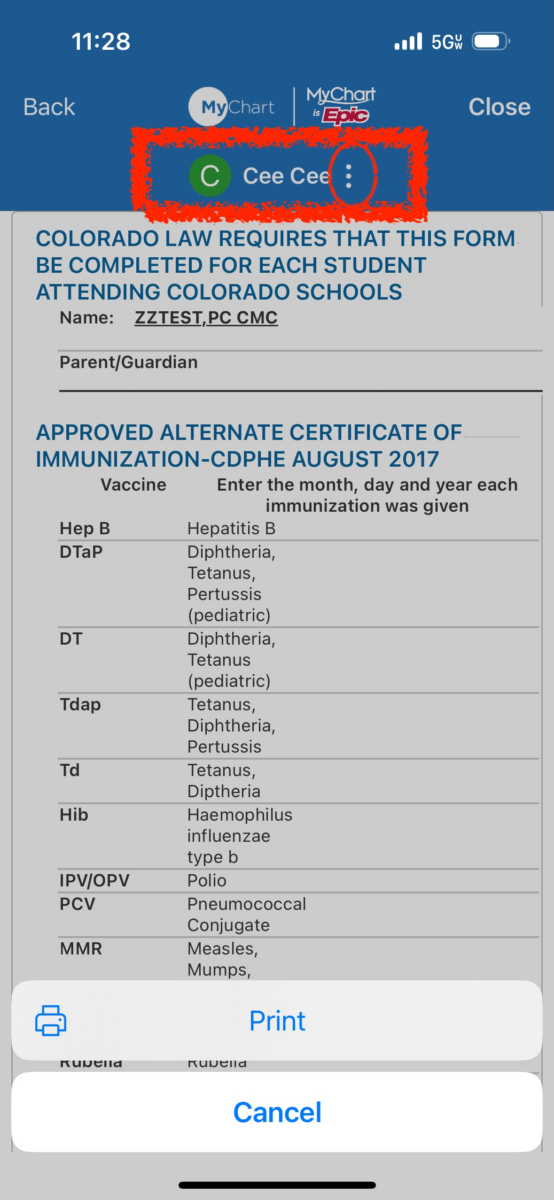
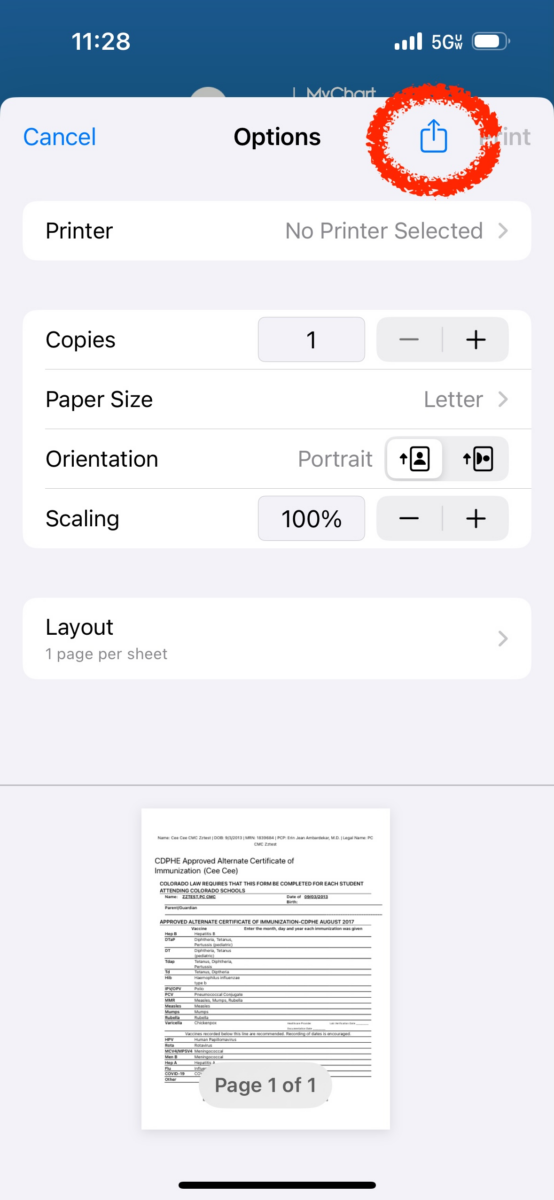
On the computer, the above selections give you the option to download the form. If you are accessing the forms through the MyChart app on your phone, you can select the three vertical dots beside the patient’s name to be shown the option to print. If you select print, you can then print if hooked up to a wireless printer, or select the share button at the top right of the screen to share it via email, text, or various other methods.