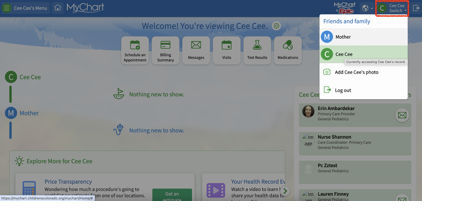
The most important first step is to make sure you are in the patient’s MyChart page, NOT the parent/guardian’s. You can toggle between the two pages from the top right corner on both website and phone.
To access the completed forms that we return to you in MyChart
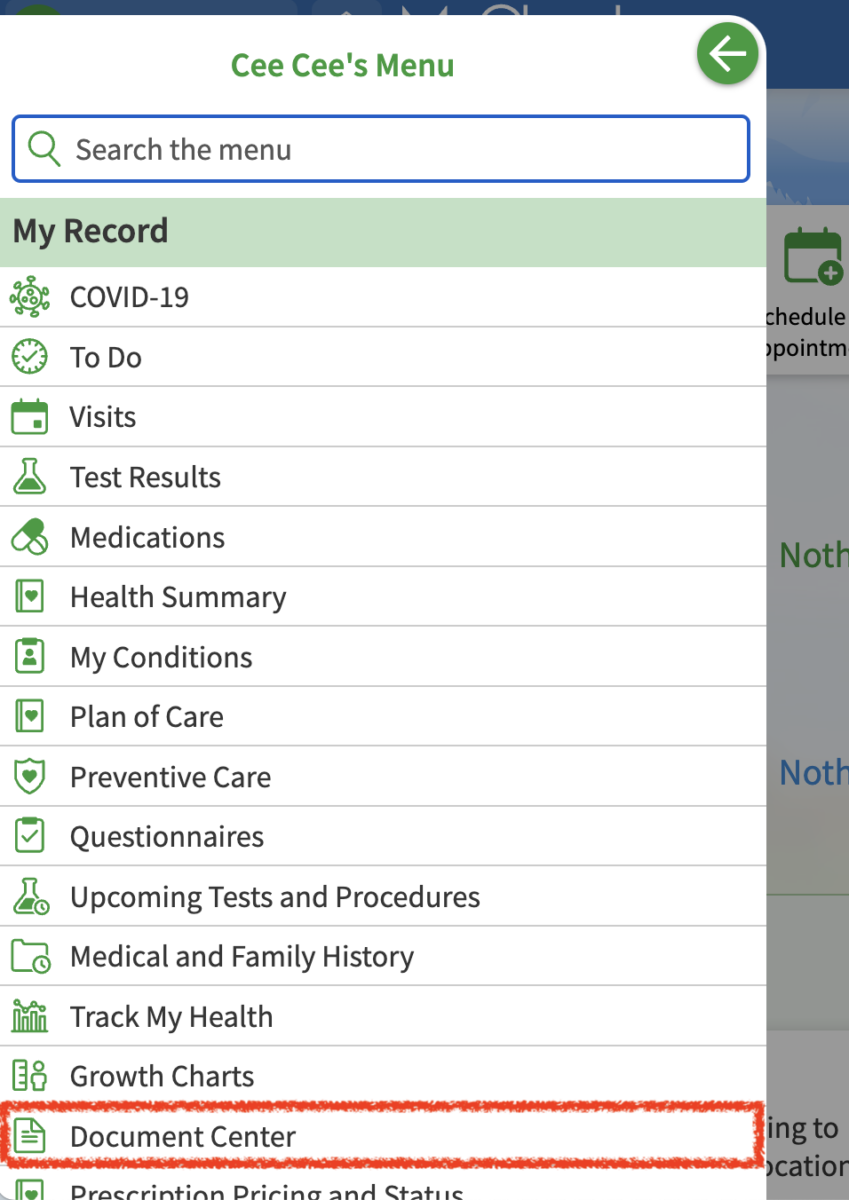
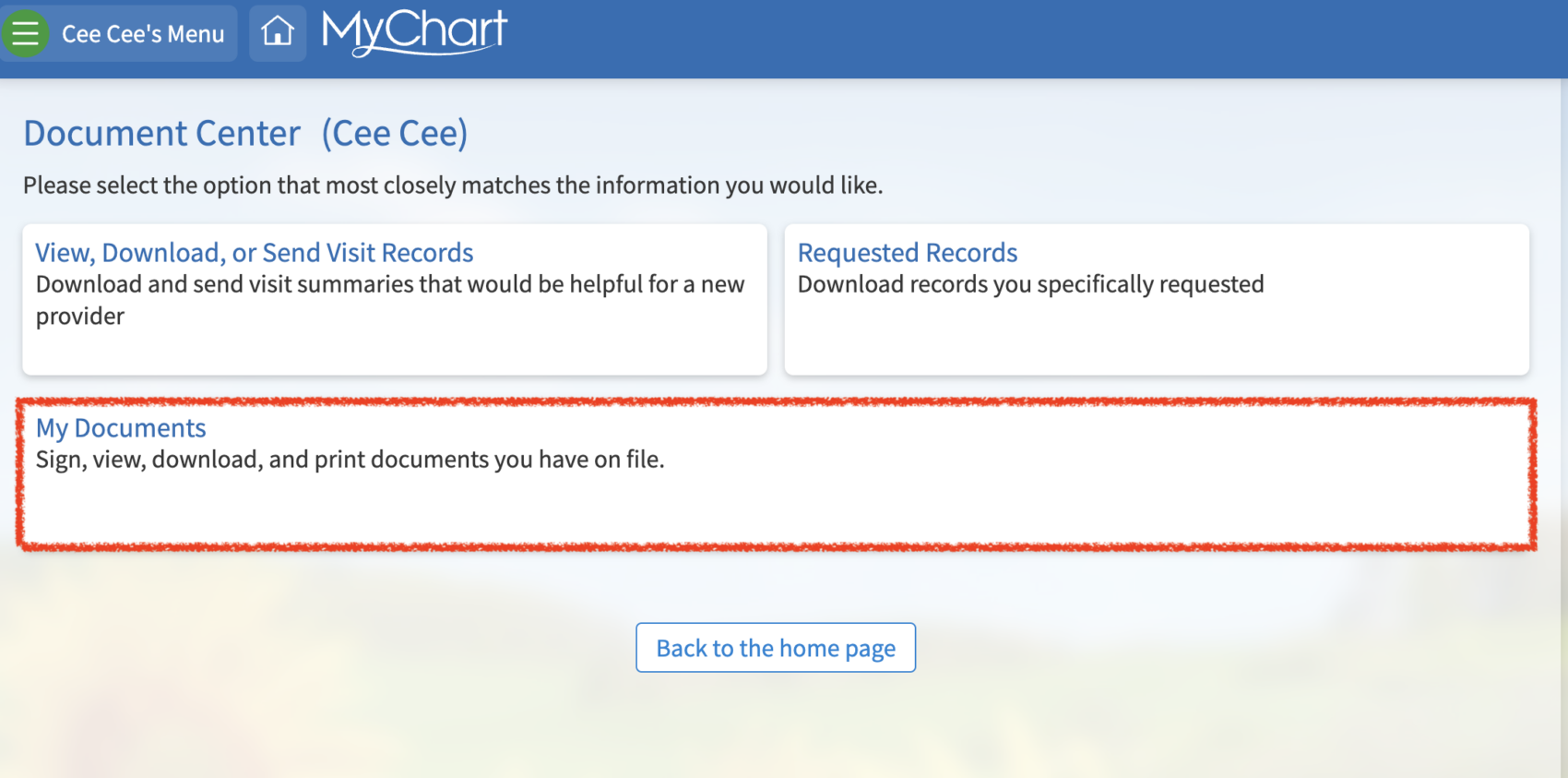
Select MENU -> DOCUMENT CENTER under the “My Record” section. Then select MY DOCUMENTS. From the resulting list of documents, find the document that was uploaded on the day the form was returned to you (the title will always be “MyChart Available Document,” so the date is the best way to find the specific form you are looking for).

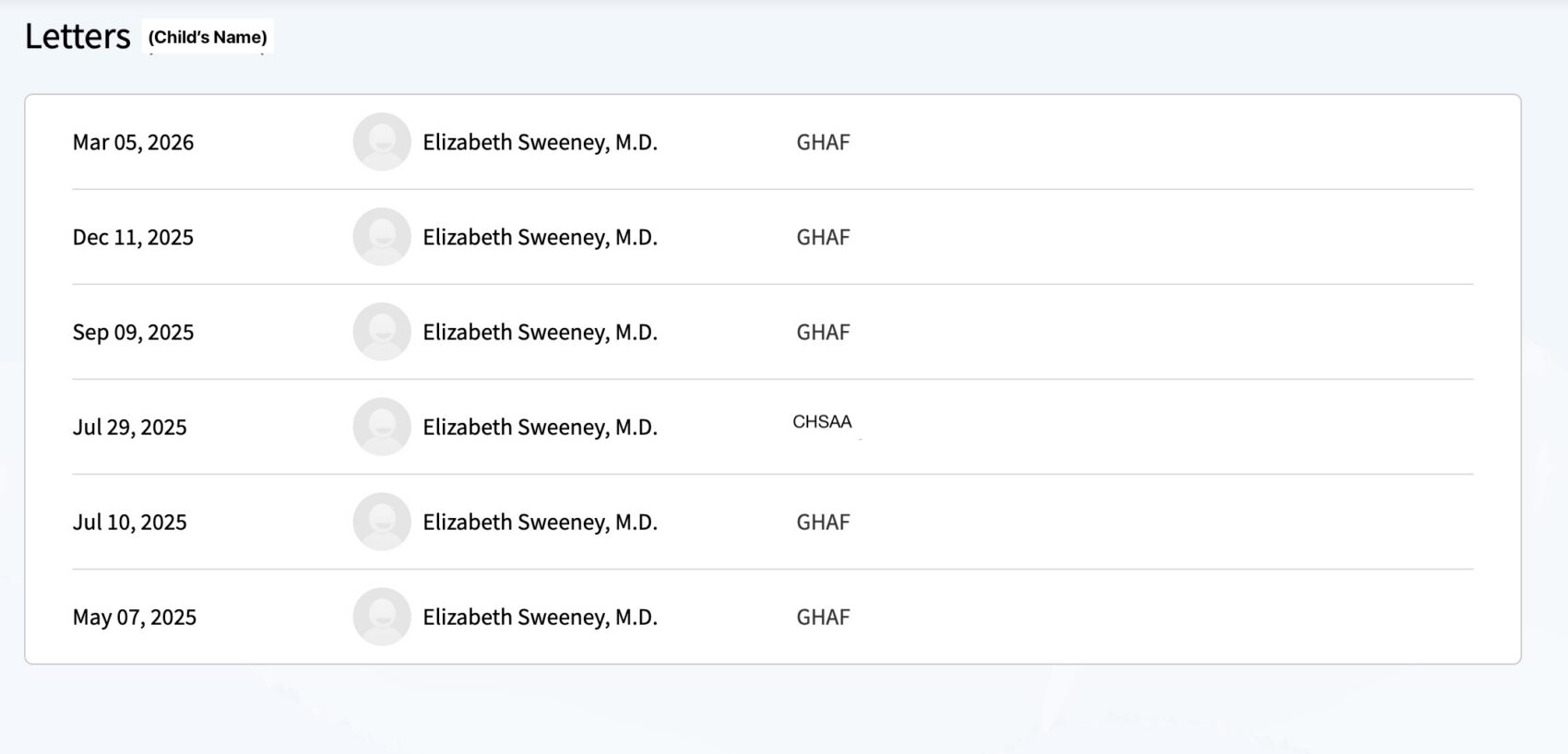
To access your child’s General Health Appraisal Form (GHAF) or sports clearance form (CHSAA)
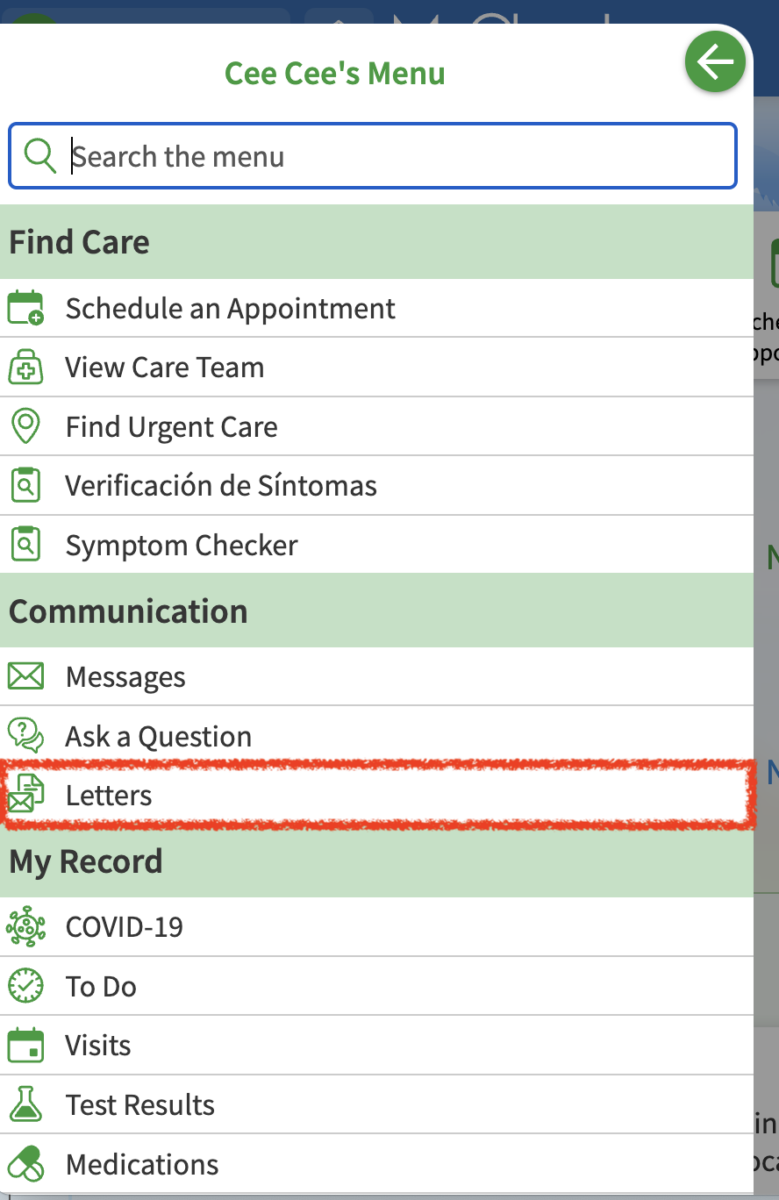
Select MENU -> LETTERS under the “Communication” section. Your pediatrician generates these forms after every well visit and they are good for a year from the date of the well visit. Please check here before asking us for those forms specifically. This location is where you can also find any other letter that is generated by your pediatrician for you